Give your freelance finances a little breathing room
Freelance Finance
Mac app · Alpha
Great projects come with paperwork. Freelance Finance gives your invoices, clients, receipts, and monthly bookkeeping a home on your Mac — with local AI to take care of things for you. Built for creative freelancers who would rather finish the interesting work than spend another evening sorting receipts.

Less admin. More room for your actual work.
From “That’s a wrap” to “Here’s your invoice”
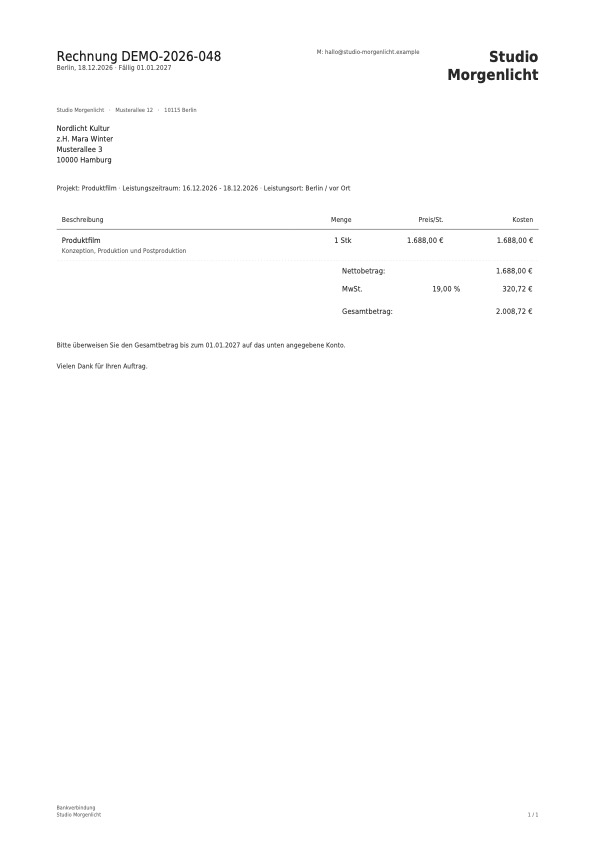
Create professional invoices with your branding, project details, and payment terms. Keep your clients and frequently used services close at hand, so the next invoice starts with a few familiar clicks.
A little help with the receipt pile
Let AI help read receipts, suggest categories, and spot spending patterns. Choose a local model to process documents on your Mac. You review the suggestions and stay in charge of the numbers.
Make month-end a smaller event
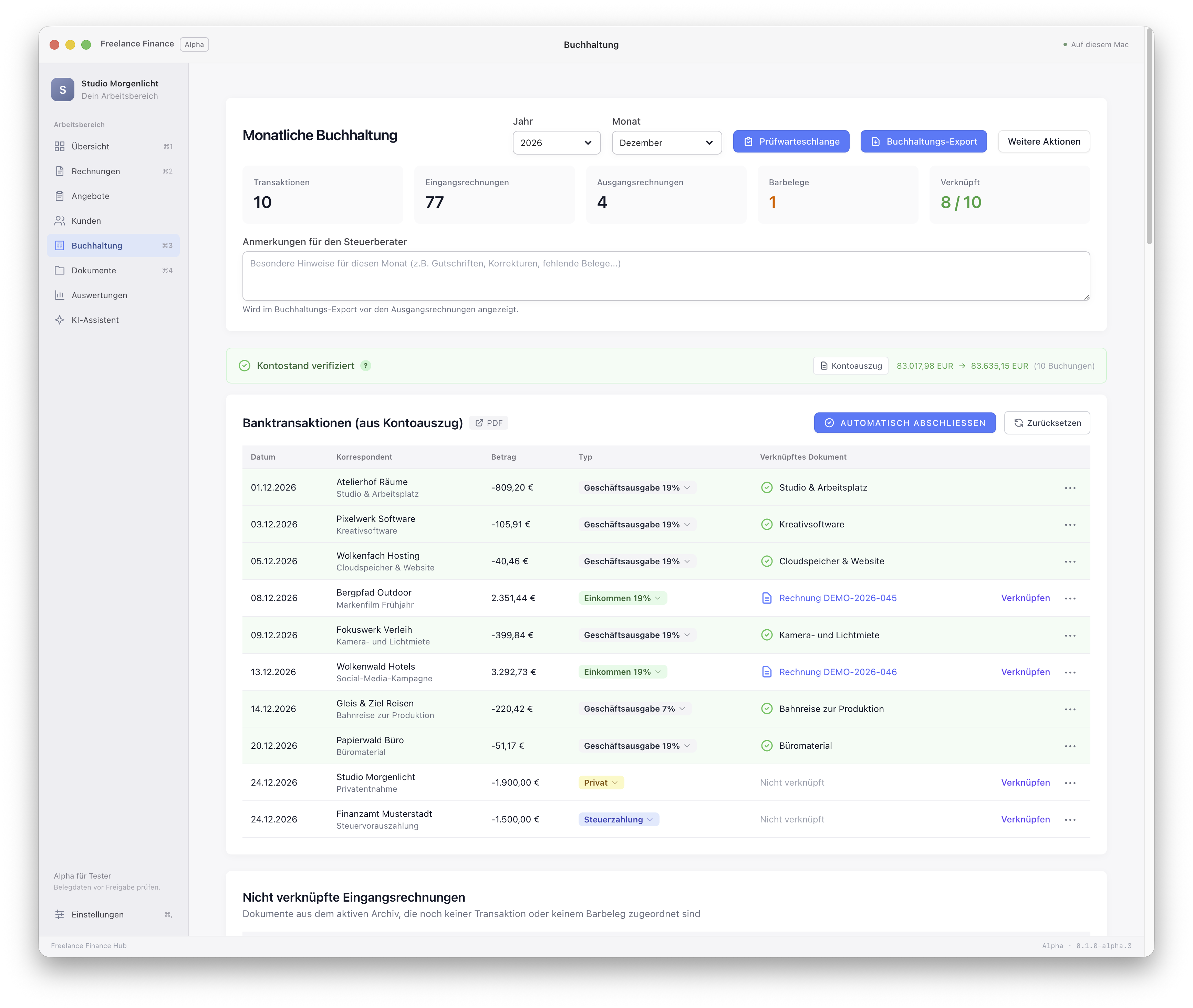
Bring statements, receipts, and booking proposals into one monthly workflow. See what’s missing, review what needs attention, and prepare an organised hand-off for your tax advisor.
The useful little details, all together
Invoices & quotes
Build itemised quotes, turn them into invoices, and export polished PDFs. Add service dates, project information, and reusable line items without starting from scratch.
Your client database
Keep contact details, billing addresses, invoices, and quotes together. Less hunting through old emails for the address you definitely had somewhere.
E-invoices, with fewer question marks
Export XRechnung and ZUGFeRD/Factur-X XML using EN 16931 profiles for supported invoice types. Built-in checks flag missing information before export, and incoming structured invoices can supply fields for your review.
Local AI analysis
Get help with the actual booking - it sorts away your receipts and books your incoming and outgoing transcations.
Receipts with a proper home
Keep documents in the integrated archive, or connect your existing Paperless-NGX setup. Link receipts to transactions so the original is there when you need it.
Statement imports & receipt matching
Import supported bank statement PDFs and get help finding the receipts behind the transactions. Missing documents and uncertain matches stay visible for review.
A clearer view of your business
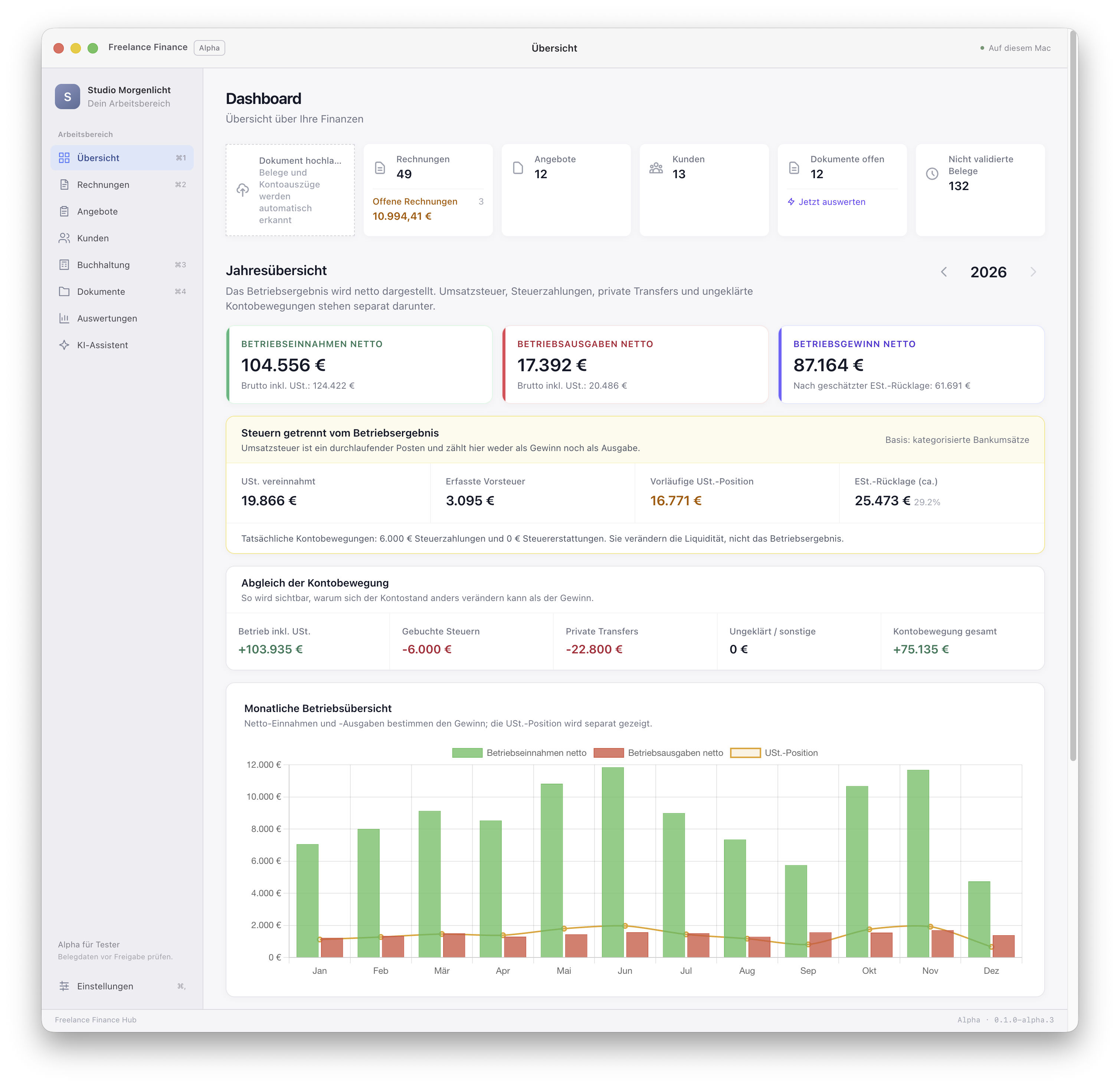
Explore monthly and yearly income and expenses. See the patterns behind the totals and give your next business decision a little more context.
Ready for your tax advisor
Prepare PDF and Excel reports, review booking proposals, and export confirmed entries in a DATEV-compatible package once the month’s checks are complete.
A few things you might be wondering
No. AI is optional, and you can run a supported model locally on your Mac. If you choose an external AI provider, processing follows that connection’s settings.
Yes. The bookkeeping workflow includes German VAT settings, SKR03/SKR04 account choices, e-invoice exports, and tax-advisor hand-offs.
It helps you prepare the paperwork and review the numbers. It focuses on invoicing, preparatory bookkeeping, and EÜR workflows; it does not file tax returns or provide a complete general ledger.
Supported export scenarios have passed independent validation tests. Alpha support is not certification or coverage of every EN 16931 scenario. Incoming invoice data still needs your review.
Mac app · Alpha
Apply as an alpha tester
Tell me a little about your Mac and how you’d use Freelance Finance. I’ll review your application and email you with an update.
For Macs with Apple silicon (M1 or newer). Approved testers can download the .dmg from their account.
Join the private alpha
Sign in to apply. Your account is where you’ll find your application status and, once approved, your downloads.
Log in to applyNew here? Create an account